
May 13, 2026
v0.6: Worker cost analysis
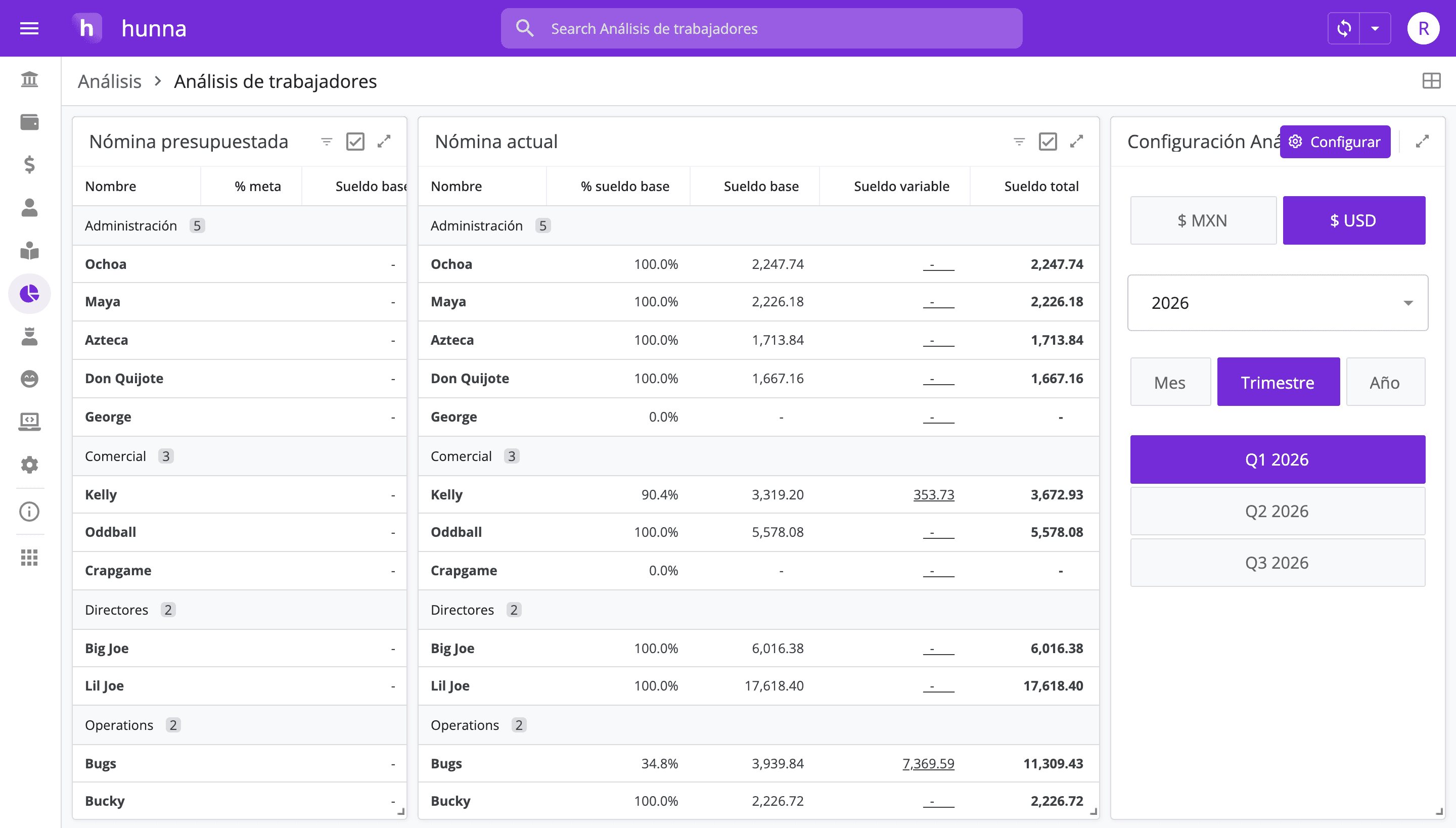
Hal v0.6 adds Worker Cost Analysis, connecting payment structures with recorded salary expenses to compare budgeted and actual compensation by worker.
Authors: Ryusei Best
1. Overview
Payroll is often one of a company’s most consequential cost areas. Hal v0.6 introduces worker cost analysis so founders can compare budgeted payroll with actual salary expenses at the individual worker level and understand where the plan and records differ.
2. Plan payroll with precision
Payroll is a major cost, but a total alone does not show where the budget and actual payments differ. We built Worker Cost Analysis to connect each worker’s payment structure with recorded salary expenses. It gives founders a more precise view for reviewing the compensation plan while keeping decisions human and contextual.
3. How it works
1. Open Profile. 2. Add each worker and their payment structure. 3. Open the Ledger when recording a salary expense. 4. Enter the expense and identify the individual worker it belongs to. 5. Open Analysis and review compensation by worker. 6. Compare budgeted and actual payroll, then investigate timing, bonuses, hours, or missing assignments behind any difference.
Use the comparison to strengthen the compensation plan by combining the numbers with role context, team goals, and the applicable employment requirements.
4. Try the new feature
Review recurring salary, variable compensation, bonuses, and timing differences separately. A higher number may reflect a planned bonus or calendar shift; a lower number may signal a missing entry rather than savings. Pair the analysis with role context, business capacity, and applicable employment requirements before changing compensation.
The result is a clearer cost plan and better context for supporting your team. If payroll is one of your largest expenses, open Hal and connect budgeted compensation with the salary costs your company actually records.