
March 9, 2026
v0.31: Custom account and category order
Hal v0.31 lets you customize account and category order so the business maintains consistent, decision-ready financial data as every income and expense is recorded.
Authors: Ryusei Best
1. Overview
Clear financial decisions begin with consistently organized income and expenses. With Hal v0.31, founders can define how bank-account and category buttons appear during capture, creating a structure that reflects how the business is managed and analyzed.
2. Keep your numbers decision-ready
Founders make better decisions when company income and expenses are captured consistently in the right accounts and categories. Custom ordering helps your organization build a repeatable structure around the classifications you use most, giving you cleaner information for profit, spending, and business-unit analysis.
3. How it works
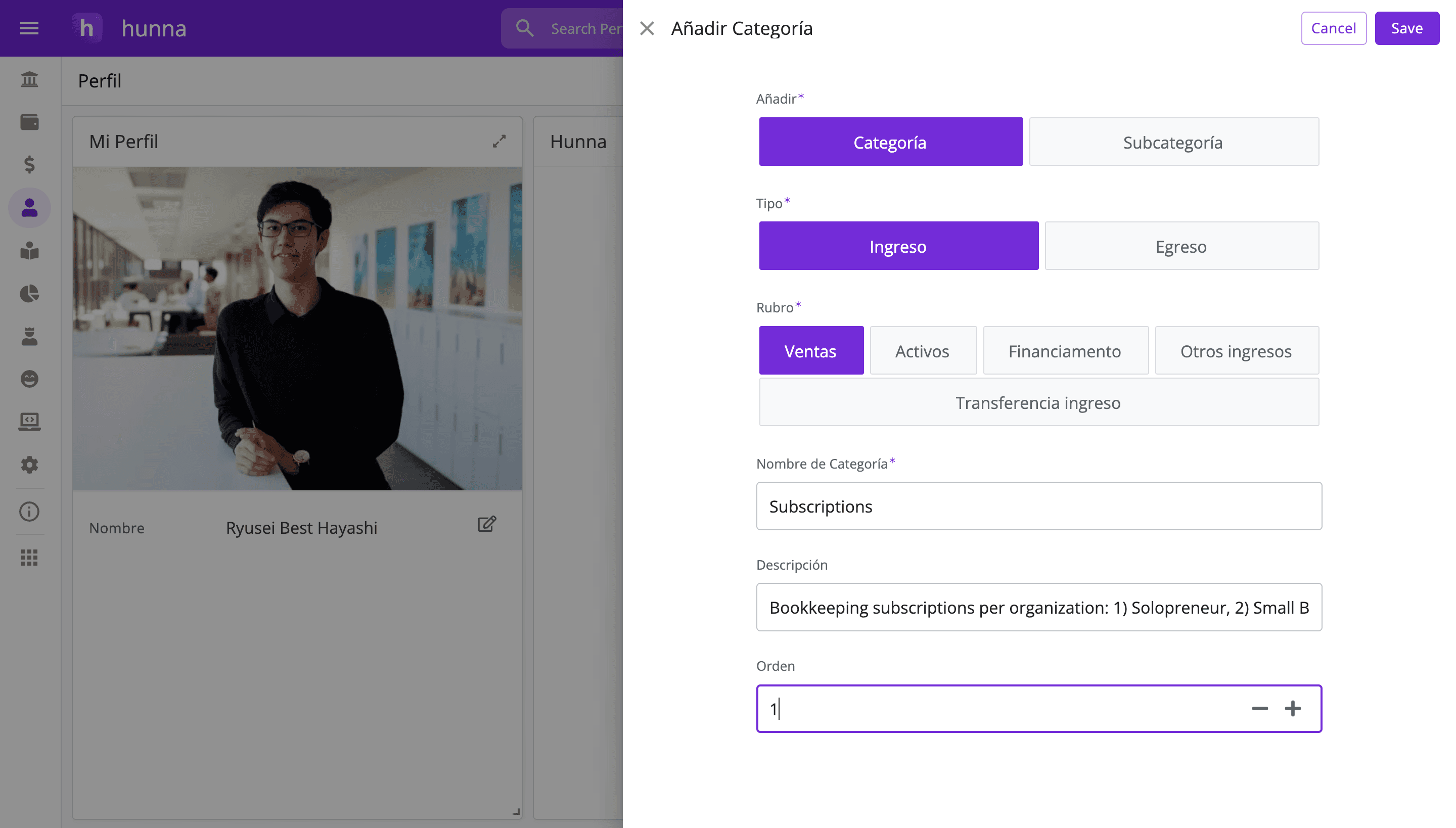
1. Open your organization settings in Hal. 2. Find the bank account or category you want to reposition. 3. Assign it an order number from 1 to 19. 4. Repeat for the other accounts and categories you want to organize. 5. Open the ledger and confirm that the buttons appear in the intended positions.
Agree on the order with everyone who captures transactions. A convenient position does not replace checking that the correct account and category were selected.
4. Try the new feature
Put the accounts and categories used every day near the front, group related choices consistently, and agree on what each category means. Then notice where the workflow can become even smoother. The best order is the one that helps the team capture transactions confidently with less searching.
A clear order supports consistent financial data across hundreds of future entries, giving you a stronger view of where company money comes from and where it goes. Want a ledger that reflects the way you manage your business? Open Hal and organize your most-used accounts and categories first.