
April 22, 2026
v0.4: Monthly reconciliation dashboard
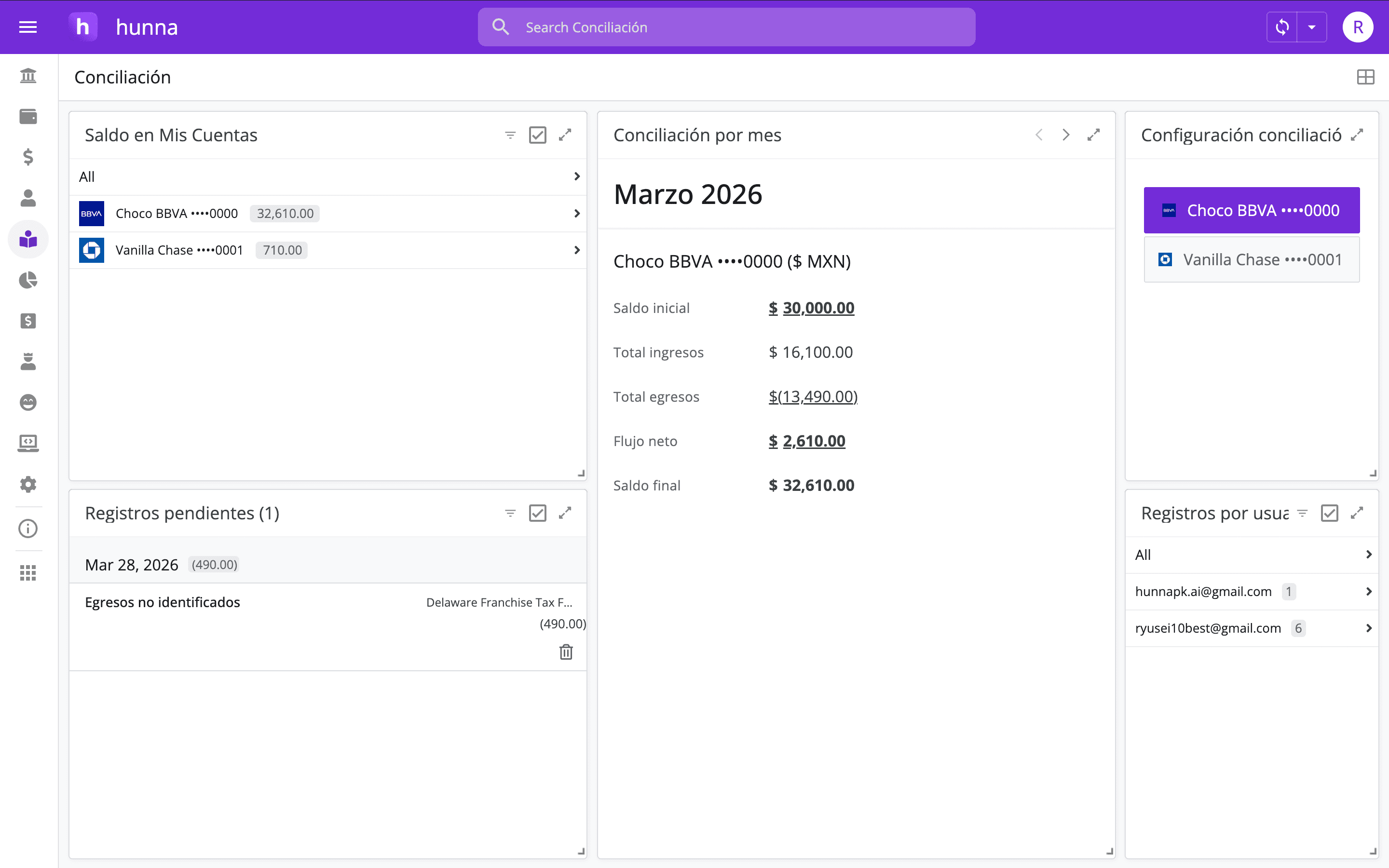
Hal v0.4 adds a monthly reconciliation dashboard that shows each account’s balance by month for direct comparison with its statement.
Authors: Ryusei Best
1. Overview
Hal v0.4 adds a reconciliation dashboard that shows each account’s balance by month, giving teams a clear period-by-period view that matches the way bank and credit card statements are commonly reviewed.
2. Validate every month confidently
The monthly dashboard helps founders confirm that every account is aligned with its statement period by period. That visibility makes it easier to validate the financial history, understand the company’s current position, and move into the next decision with confidence.
3. How it works
1. Open Reconciliation. 2. In Reconciliation settings, select the account you want to reconcile. 3. Compare the Hal balance for each month with the same period on the account statement. 4. If they differ, check that month for missing or duplicate transactions, incorrect classifications, and incomplete transfers. 5. Resolve the earliest outstanding month first, then continue forward.
4. Try the new feature
For each statement period, verify the opening balance, review every inflow and outflow, confirm transfers appear on both sides, and resolve the closing difference. Work month by month instead of jumping to the latest balance. That sequence makes it easier to identify exactly when the records stopped matching reality.
Reconciliation gives every later analysis a stronger, more reliable foundation. Want a clearer monthly view of every company account? Open Hal and compare your ledger with each bank and credit card statement in one recurring process.