
February 26, 2026
v0.3: Account reconciliation workspace
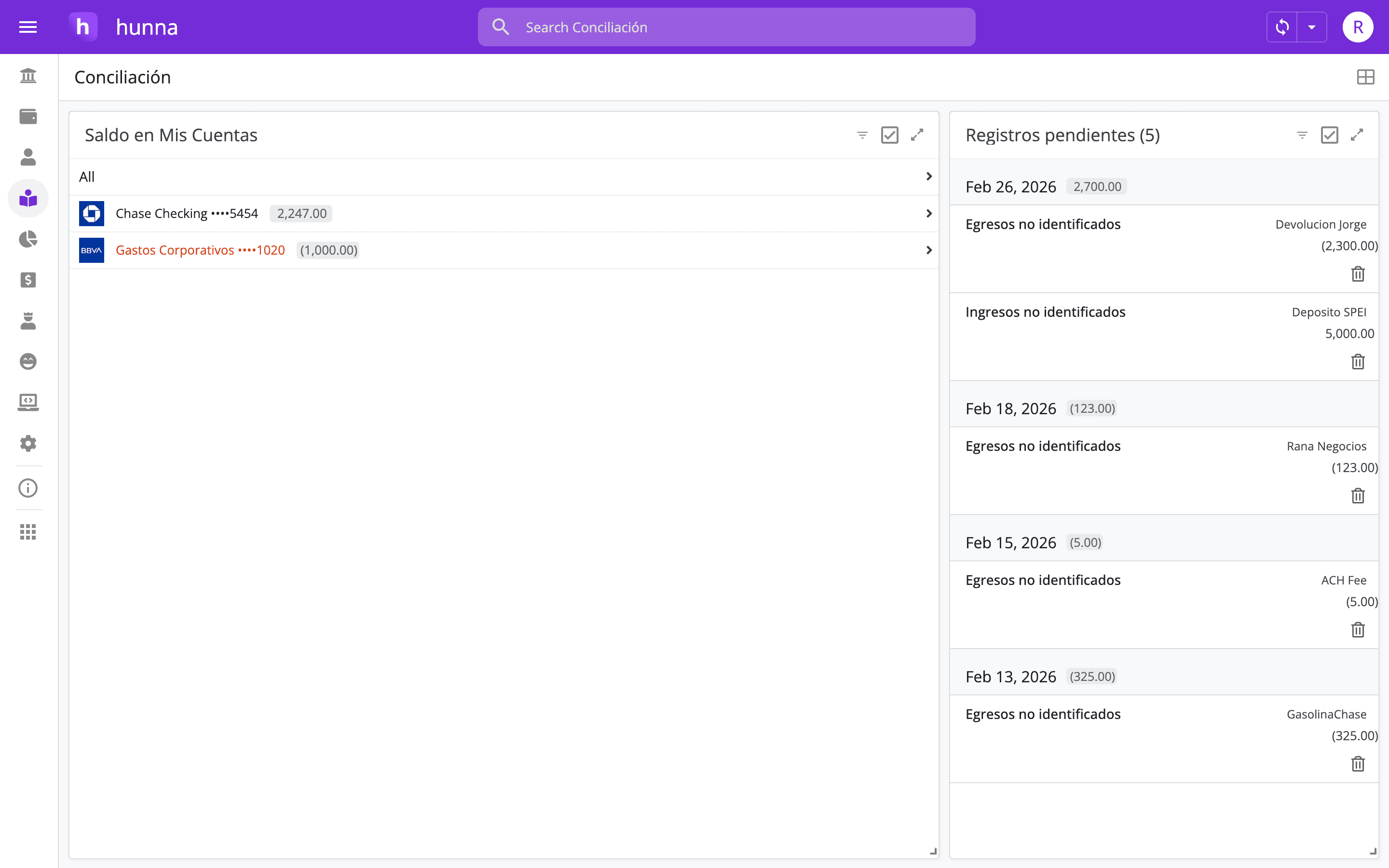
Hal v0.3 introduces the Reconciliation workspace to compare app balances with bank and credit card balances and classify pending income and expenses.
Authors: Ryusei Best
1. Overview
Hal v0.3 replaces the former Reports page with a Reconciliation workspace that helps founders validate company money before analyzing profit, cash flow, or the next business decision.
2. Decide with trusted numbers
Reconciliation gives founders confidence that the money shown in Hal matches the company’s real bank and credit card balances. With account validation and pending classifications in one place, you begin every profit, cash-flow, and allocation decision from a current financial foundation.
3. How it works
1. Open Reconciliation—the page previously called Reports. 2. In Balances, compare each Hal balance with the matching bank or credit card balance. 3. If a balance is marked red, check dates, missing or duplicate records, and transfers to locate the difference. 4. Open Pending records. 5. Review every unidentified income and expense and assign the correct classification. 6. Repeat the check on a regular schedule before analyzing the business.
4. Try the new feature
Choose a recurring day, assign one person to review balances, and complete the validation before the founder meeting. Start with the earliest balance to align, review transactions and transfers, then classify pending records while the context is still fresh. The red alert guides the team directly to the account that is ready for review.
Clean, reconciled records make cash-flow, expense, and profit conversations far more useful. If your internal numbers and bank balances keep disagreeing, open Hal and build reconciliation into your weekly financial rhythm.